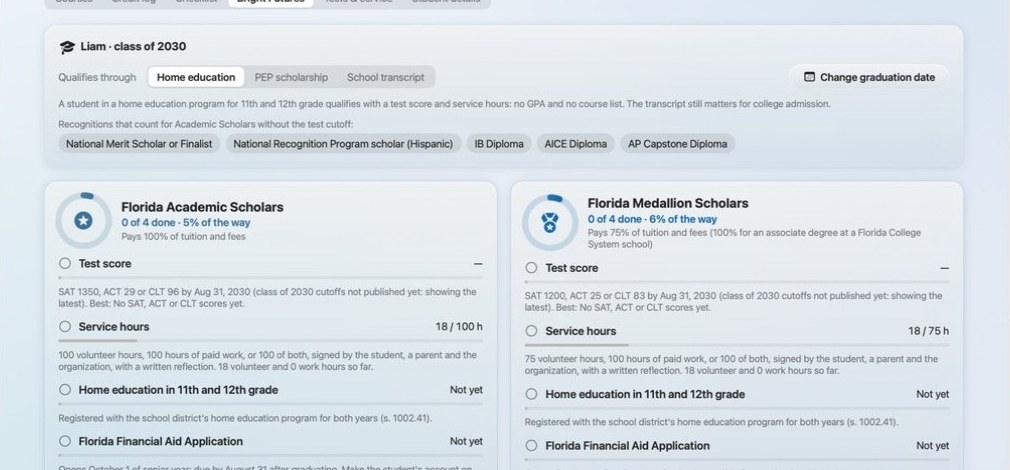
Transcripts and Bright Futures
A Florida-ready high school transcript with course codes, credits and GPA, and a tracker that shows each student's progress toward Bright Futures scholarships.
Homeschool 360 brings a complete K-12 Florida curriculum, your daily planner, student portfolios, high school transcripts and Step Up claims together in one app. There's no other curriculum to buy.
For Mac and iPad, with an iPhone companion app.
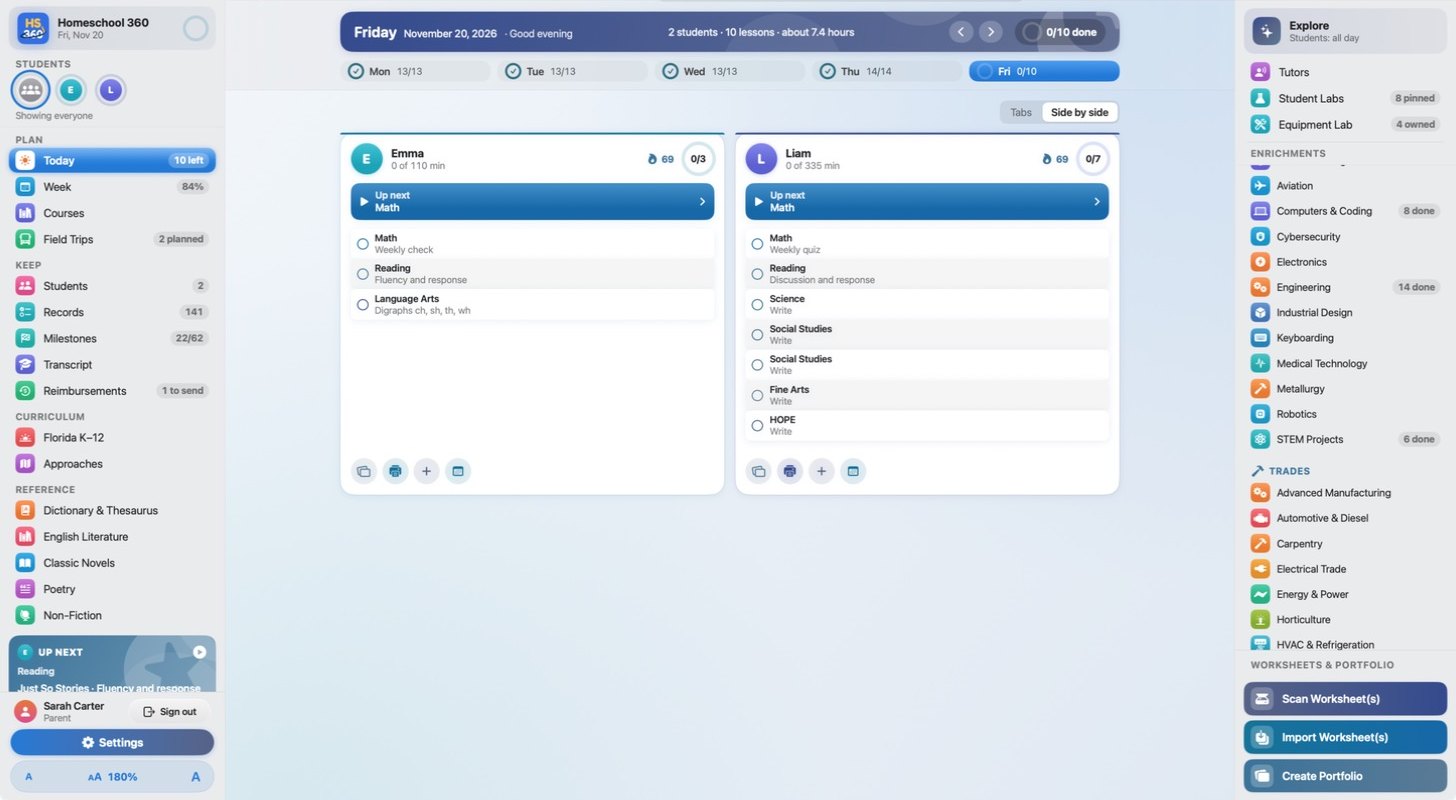
A guided tour of Homeschool 360, from the daily planner to the screen-free track and the enrichments.
Homeschool 360 meets each student where they are, then plans the year around them.
Parents and students each get their own secure sign-in.
A setup wizard adds your students and school year in a few minutes.
Placement tests gauge each student's skills, and the app recommends a grade and difficulty level.
Kids learn the way they always have, with paper and pencil. Homeschool 360 takes care of the grading and the record keeping.
Print the whole day's worksheets in one batch. They print ink-light, ready for pencil.

Students work through the pages in pencil, away from the screen.
Load the stack into your scanner. Homeschool 360 reads every page, grades it and files it in the portfolio.
The core curriculum works completely offline. Some enrichments use the internet, and parents decide when, and for how long, enrichments are available to students.
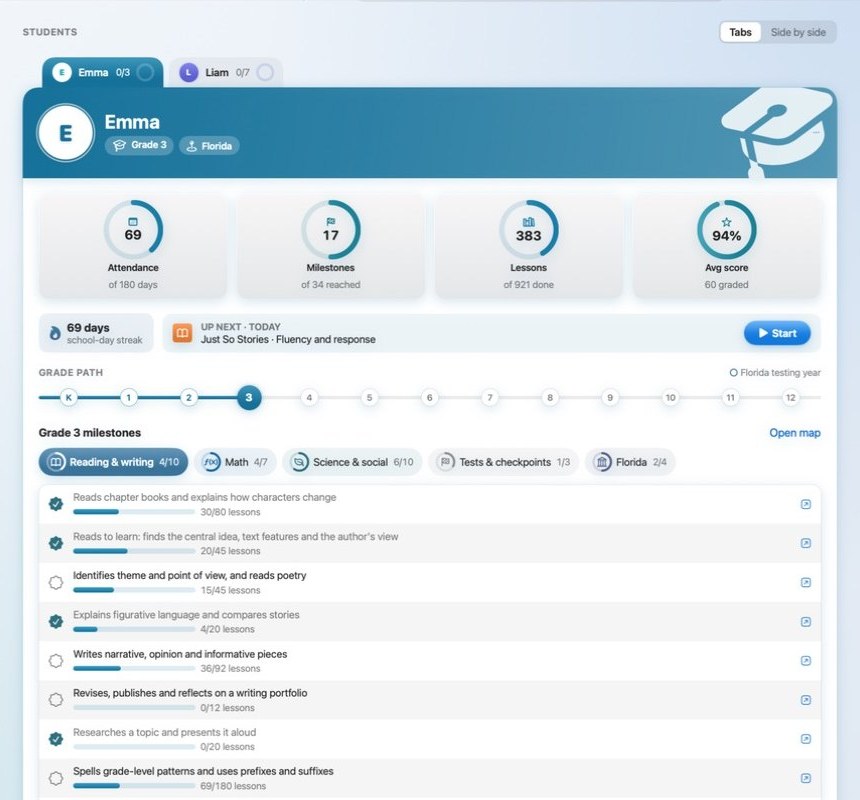
Florida homeschool families keep a portfolio of each student's work. Homeschool 360 keeps it for you as the year goes.
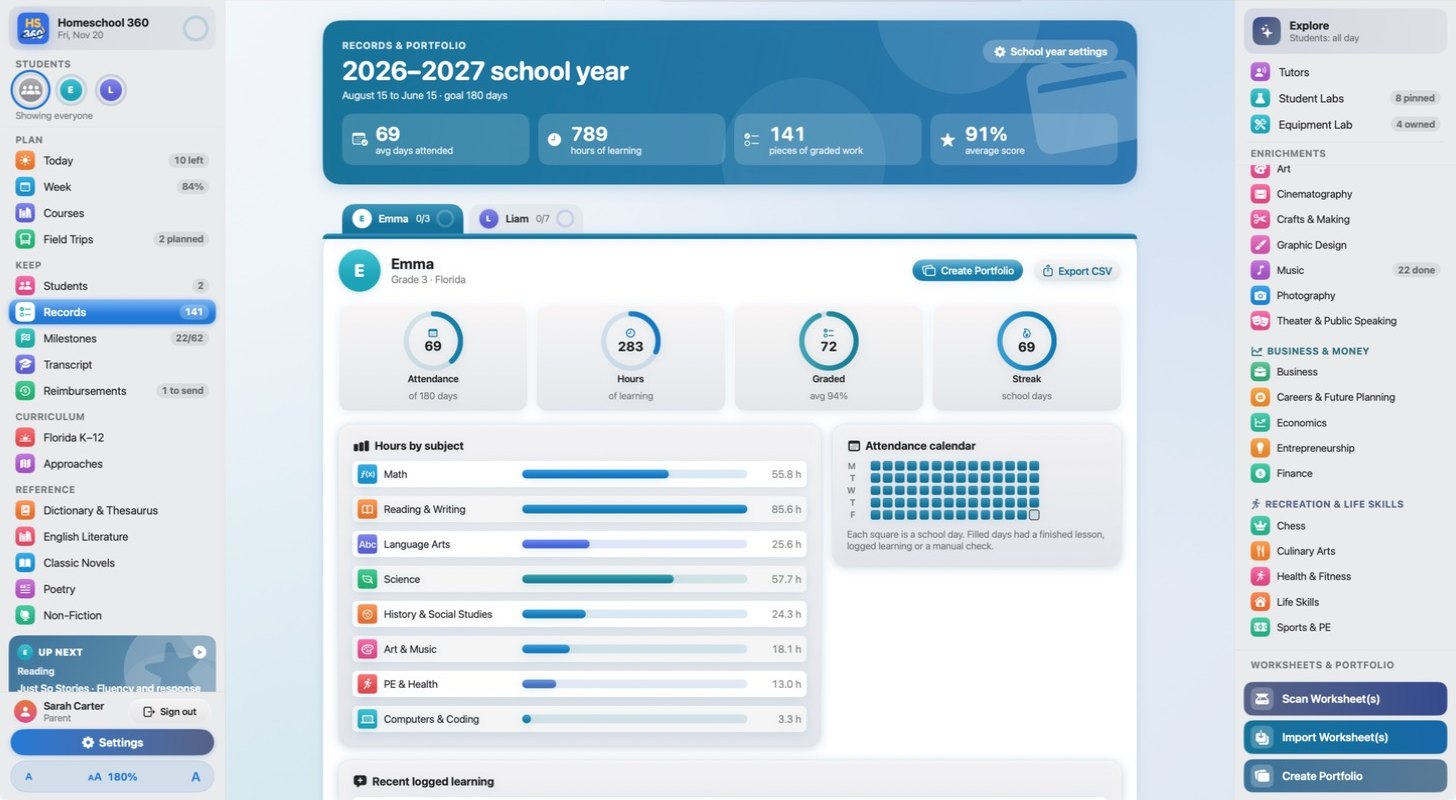
A Florida-ready high school transcript with course codes, credits and GPA, and a tracker that shows each student's progress toward Bright Futures scholarships.
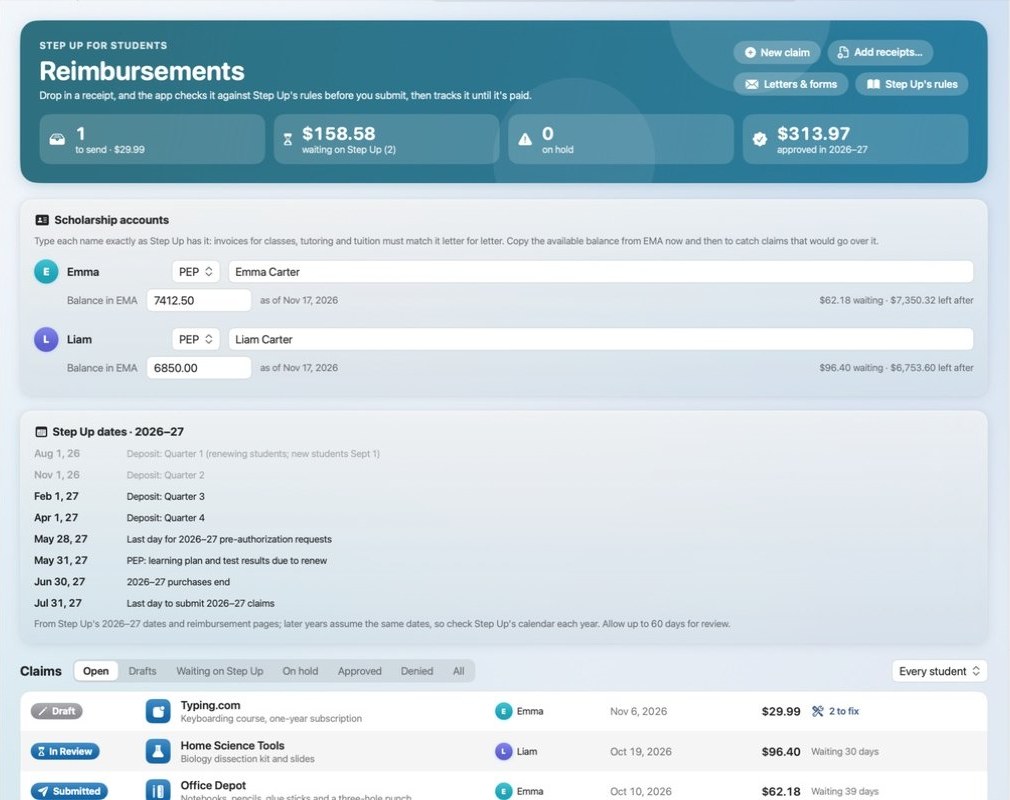
Take or attach a photo of a receipt to start a claim. The app checks it against Step Up's rules, then tracks it until it's paid, with the letters, forms and key dates you need.
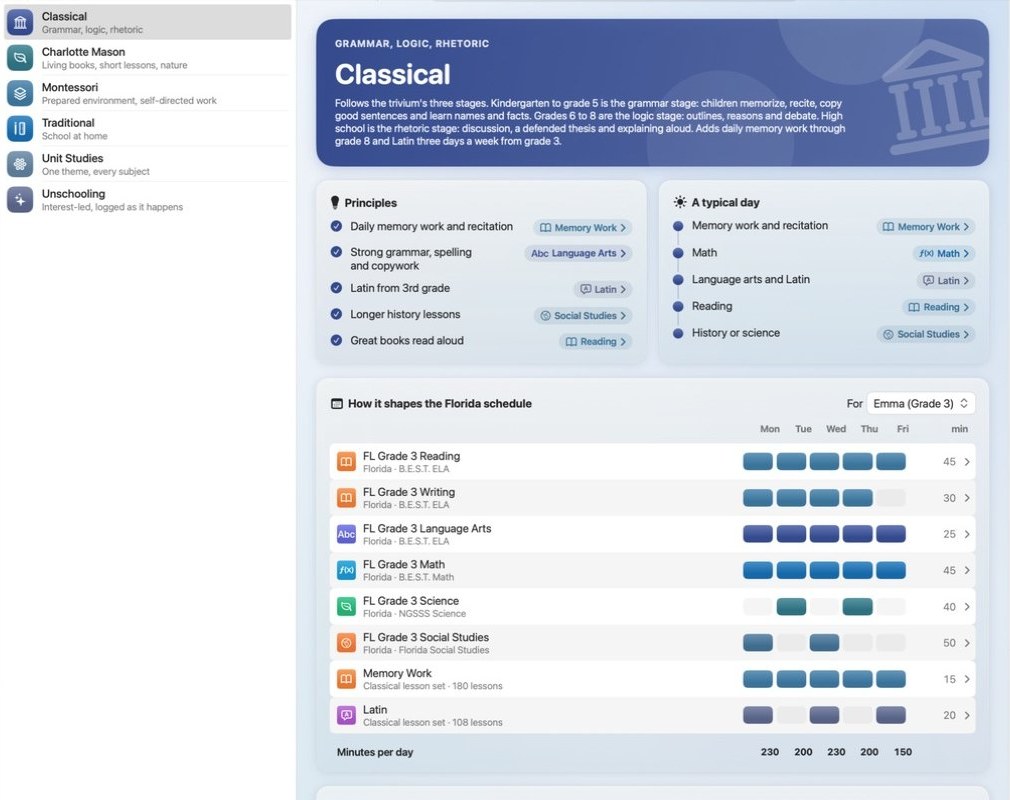
Choose an authentic approach, and the Florida schedule reshapes itself around it.
Apply it to the whole curriculum, then fine-tune by subject or lesson by lesson.
Choose secular or Christian. The Christian setting adds daily Bible study to any approach.
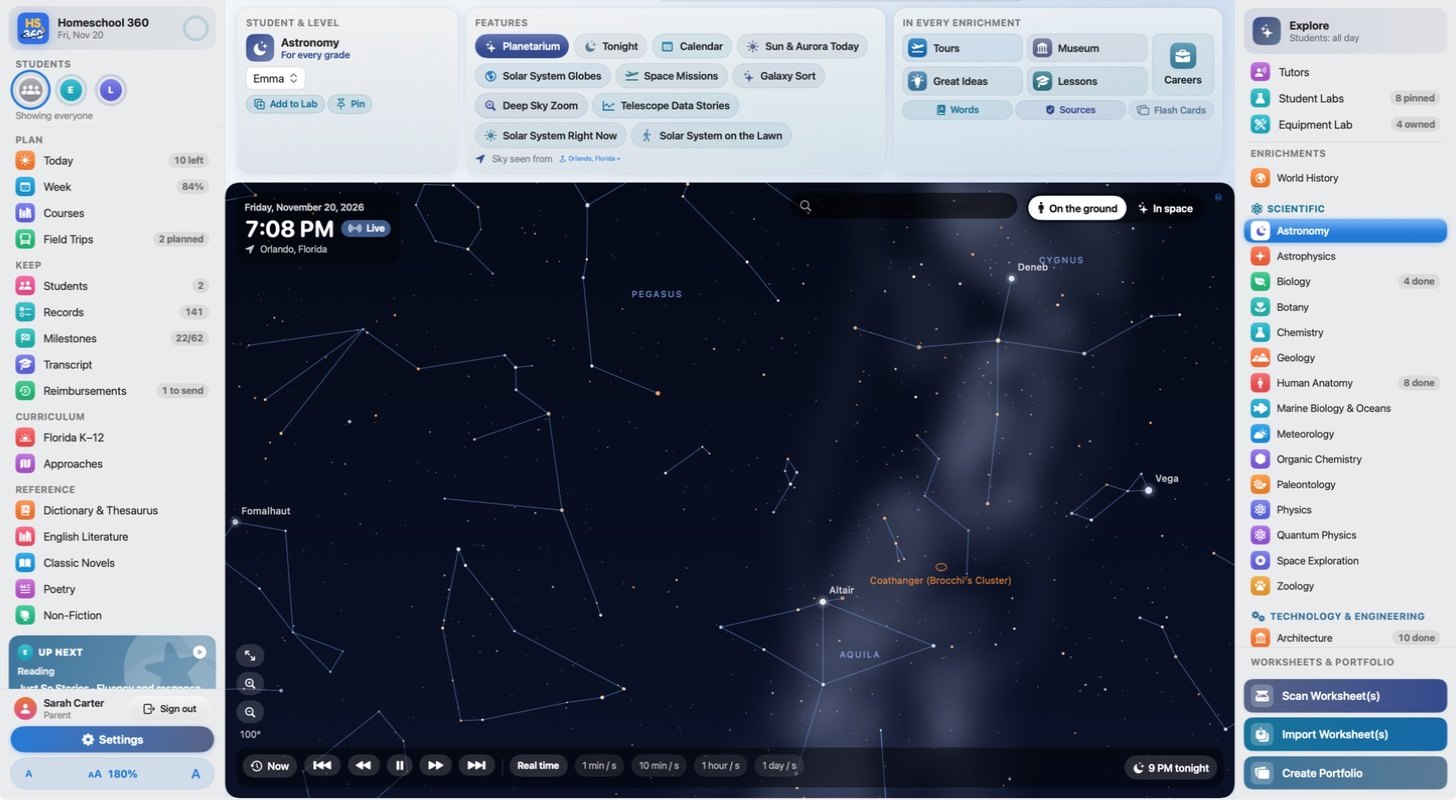
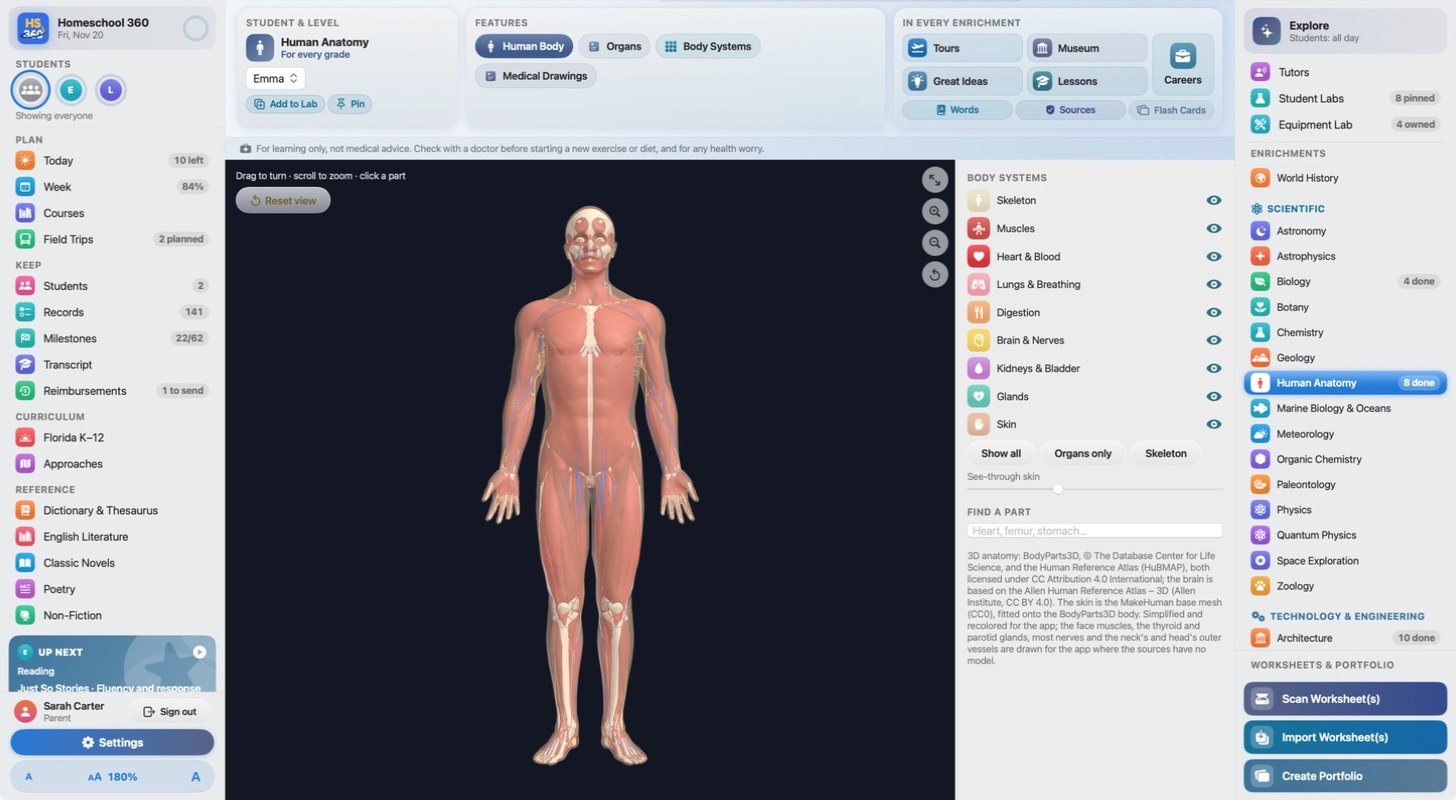
Beyond the core curriculum, Homeschool 360 is packed with hands-on learning.
interactive enrichments
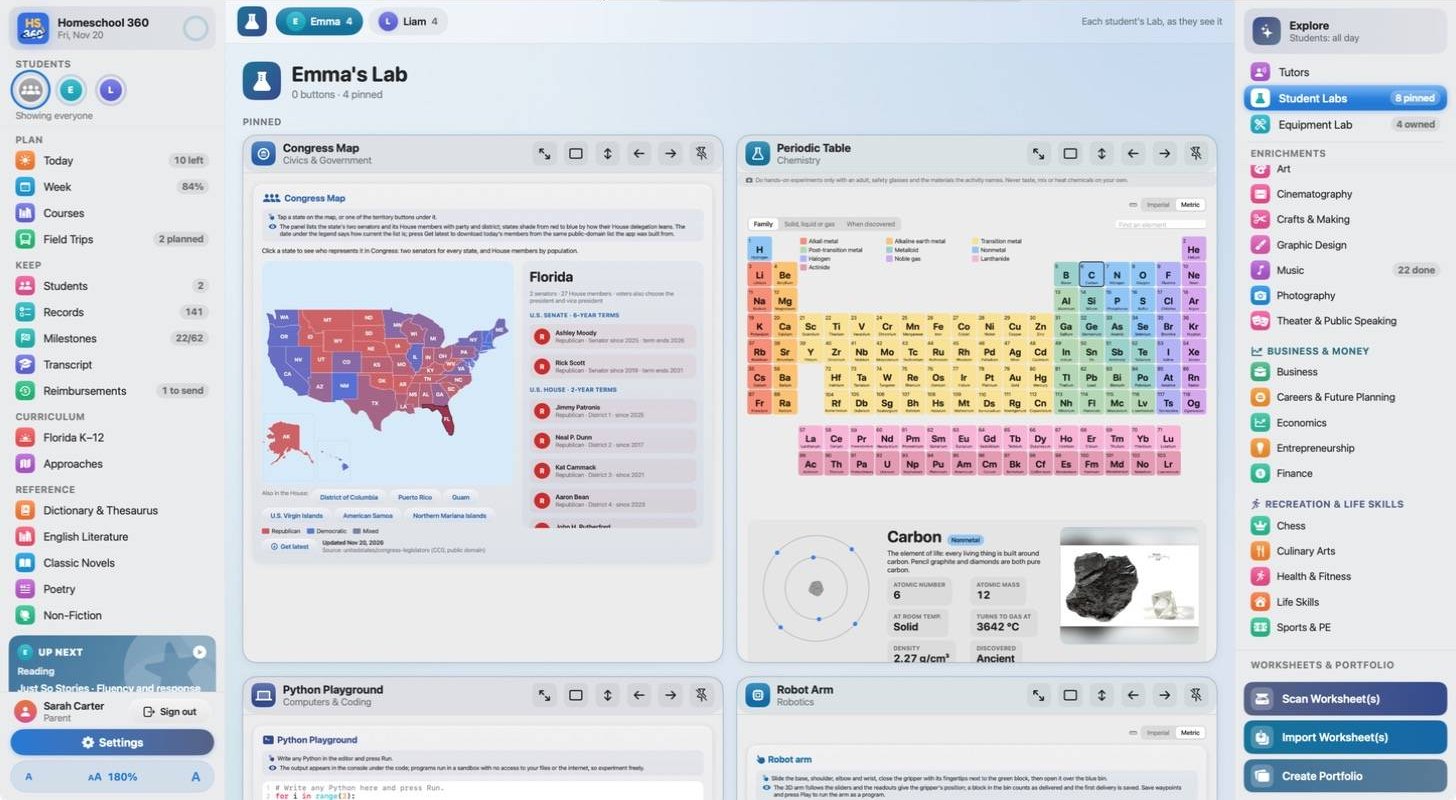
In seven categories, each with tours, lessons, a museum, careers and flash cards built in. Parents control when, and for how long, students can use them.
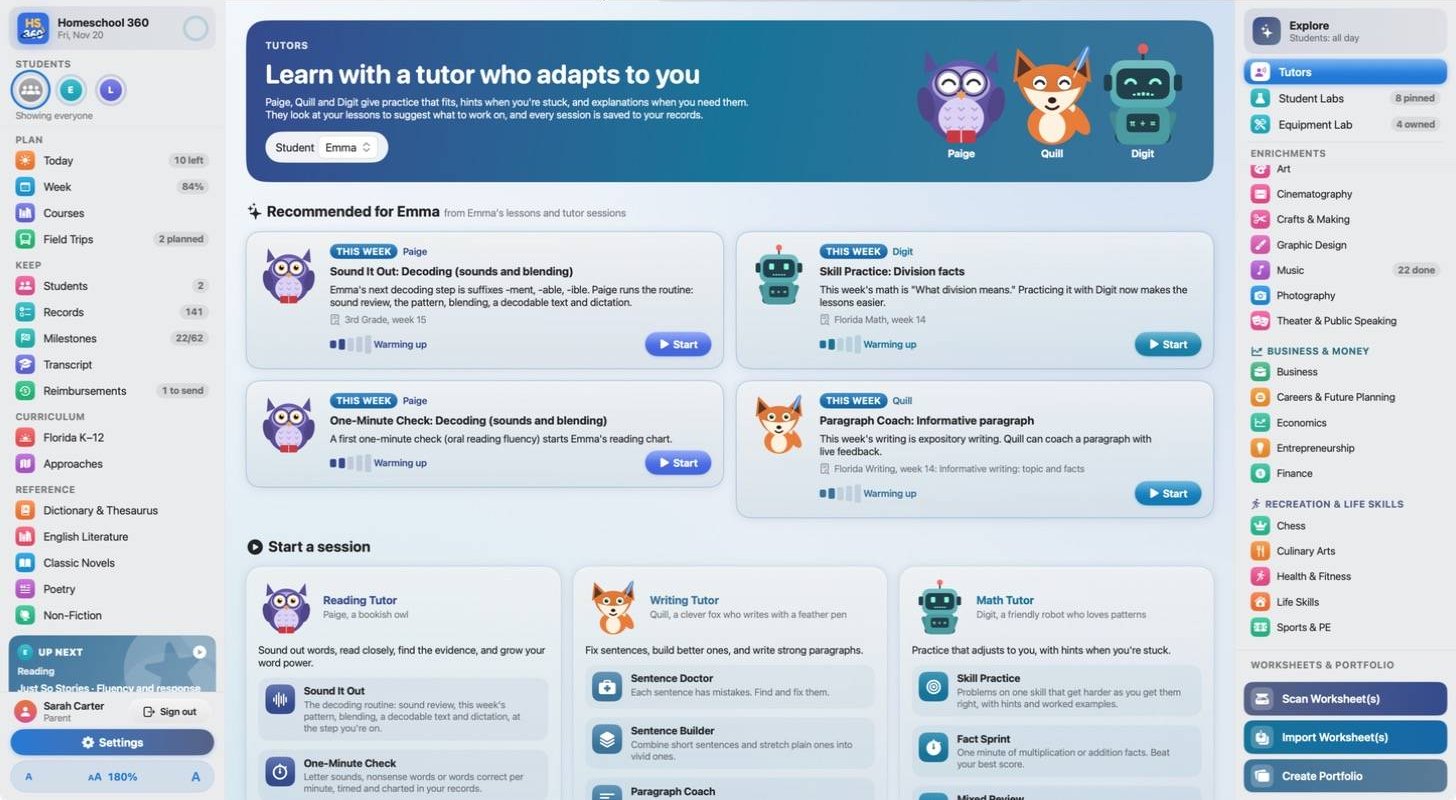
Paige the owl, Quill the fox and Digit the robot give reading, writing and math practice that fits, with hints when students are stuck. Every session is saved to the student's records.
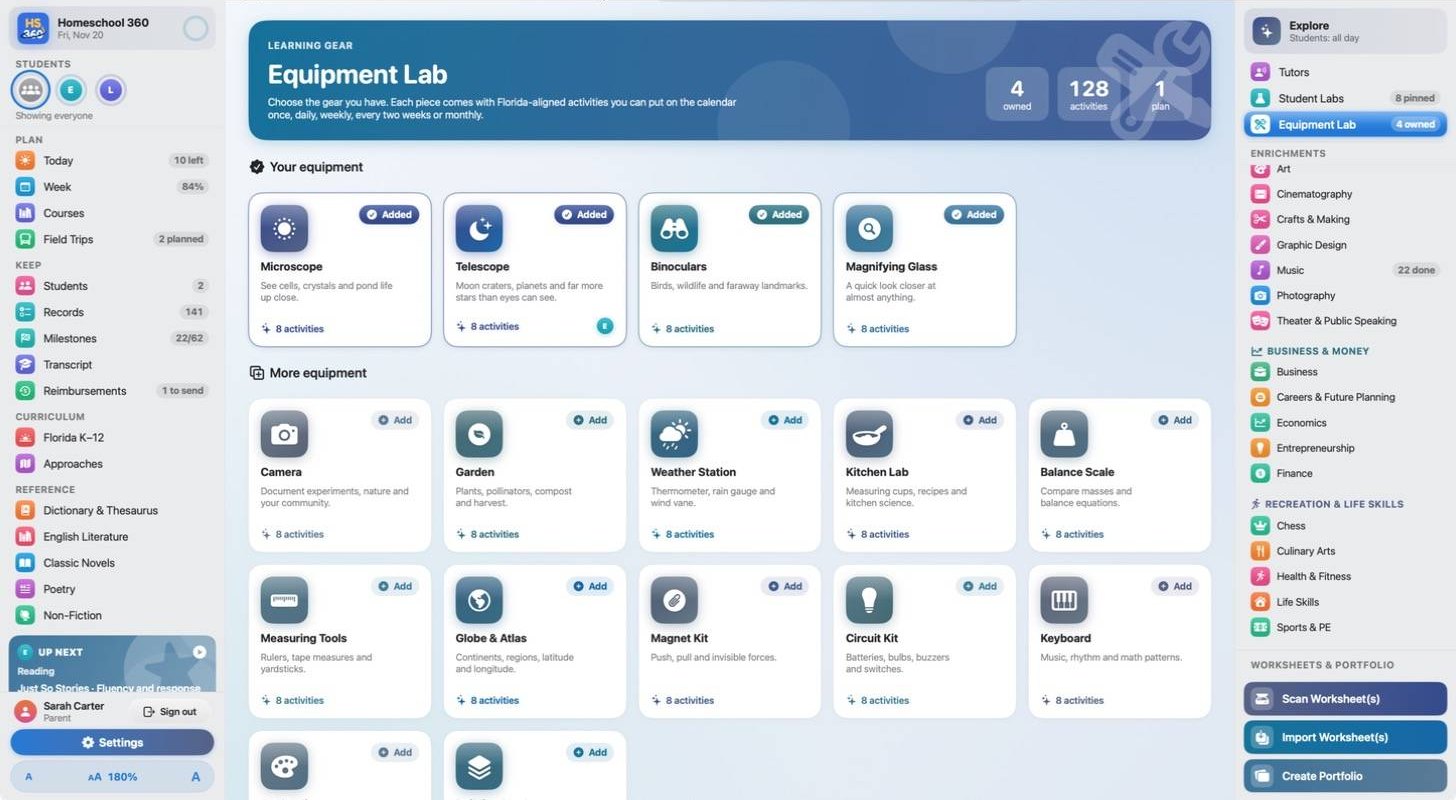
Tell the app what you already have, like a microscope, telescope or kitchen scale, and it builds lessons and activities around it.
30,000+
Classic Novels, English Literature, Non-Fiction and Poetry, all filterable for young readers. Students pick up right where they left off.
Interactive flash cards for every subject are built in throughout the app.
A built-in dictionary and thesaurus, one click away from any lesson.
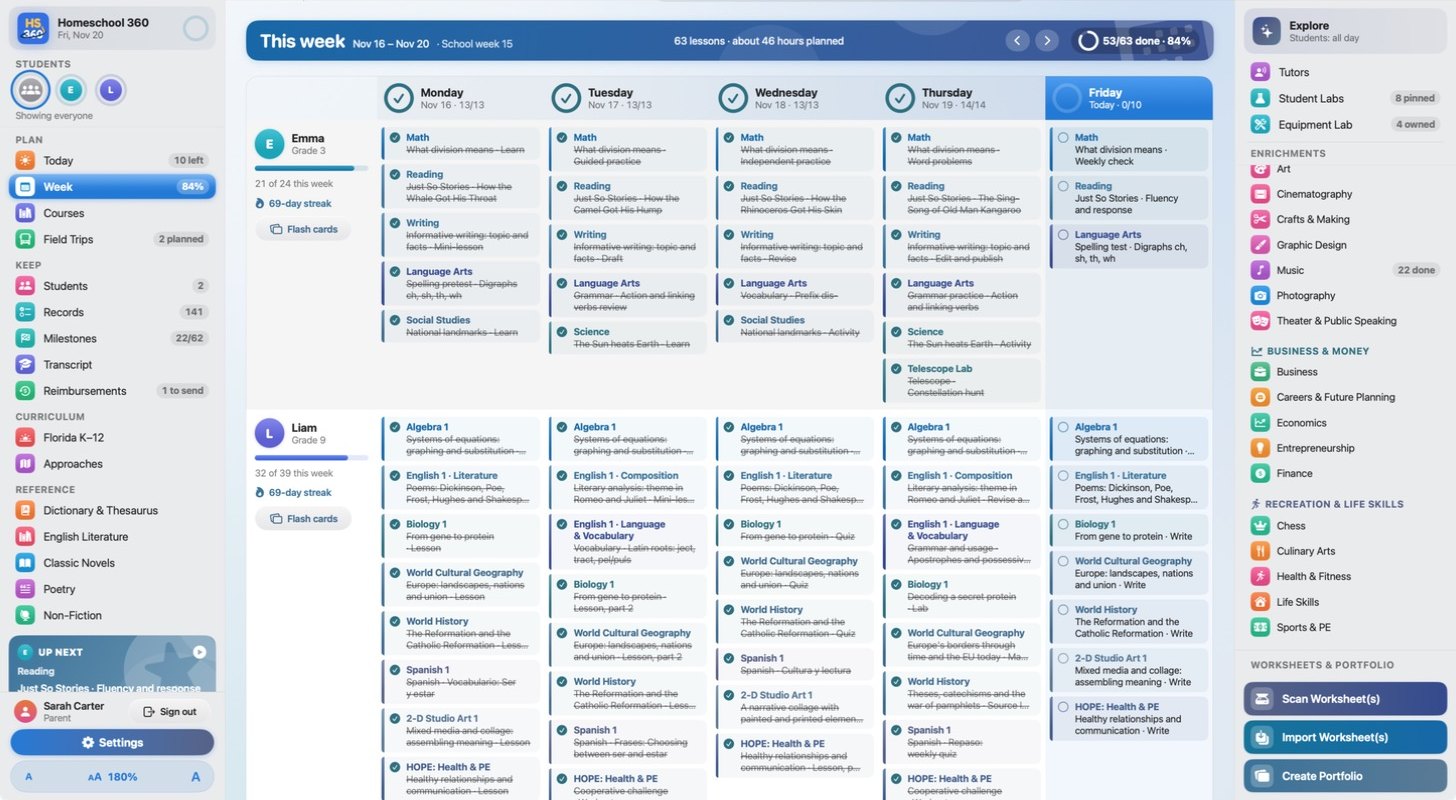
Today and Week views keep every lesson on schedule. Field Trips finds museums, parks and historic sites near you and logs each trip in the portfolio.
No. Homeschool 360 includes a complete K-12 curriculum aligned to Florida standards, along with the planner, records, enrichments and library.
Homeschool 360 runs on Mac and iPad, and there's an iPhone companion app.
The curriculum, portfolio, transcript, Bright Futures and Step Up tools are built around Florida's requirements. Families in other states can still use the lessons, planner, enrichments and library.
Yes. The core curriculum and records work completely offline. Some enrichments, like the live planetarium, and Field Trips search use the internet.
Parents and students each have their own secure sign-in. Parents choose when, and for how long, enrichments are available, and can see every student's Lab from their own account.
A printer and a document scanner. A scanner with a sheet feeder makes it quick to scan a whole day's work at once.
Homeschool 360 is coming soon to the App Store. Questions in the meantime? Use the contact form.
For Mac and iPad, with an iPhone companion app. Everything you need to homeschool, all the way around.